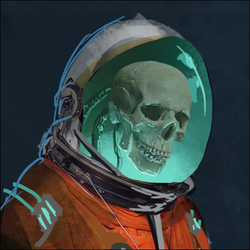
Just a little amusing and not that surprising.
Have always turned this shit off. Also turn off anything Bloom or similar. And sometimes turn off camera shake too.
Ah yes, let’s put on the option that lets me see my game worse. I am very smart genius dev.
Motion blur and head bobbing are the worst
The first time I encountered motion blur was GTA 3 for PC back in like 2003. It was awful so I’ve turned off motion blur on every game since. I have no idea why it was around then or still around now.
It was around so that low FPS games could make it look like they had a bit more frames, in the same way they do on TV. Swepping shots are actually really juddery when you notice.
Am I the only one that likes it?
Yes.
Seemingly
I don’t like it - but it’s better than juddering motion when my machine can’t handle the graphics.
I’ll turn down settings until I don’t get stuttering. I don’t wasn’t a smeary mess hiding stutters, I’ll take the higher framerate and lower antialiasing or turn off SSAO or whatever. Im just glad I can tune those dials for what I prioritize.
Lenses flare and motion blur are some of the first setting I turn off in any game.
I hate DOF, too. Your eyes aren’t a camera, any place you look should be in focus!
My eyes will do the blurring on their own, thank you very much. Same goes for motion blur.
Yeah we see non blurred only in a ridiculously small portion we look at anyways, IIRC it’s in a 3° split angle from the centre (yes you read that correctly, a cone at 3 degrees…).
Realism first! Foveated rendering for all games, not just VR! I only want the center of the display anyway!
BRB putting my monitor on a gimbal with eye tracking
Still useful for foveated rendering, but that tracking where your eyes are actually looking
- However, your eyes have depth of field view too. Your eyes are actually cameras in that point regard. Look at the monitor, your hand or any object close to you. Focus on it. Notice how the background gets blurry? That’s a feature from your eyes and brain to bring stuff into focus.
- But besides this fact, even if you would see everything in focus, its does not mean the developers of film scenes (movies or games) shouldn’t use DOF as a tool for an artistic expression. It can help bring things in focus in a busy background.
huh? Your eyes absolutely do have limited depth of field just like any camera, and need to focus at a particular distance. Anything as close as your nose will be out of focus, and if you’re reading something close, your distant vision will be blurry.
You usually don’t notice it because the focus immediately follows your active attention.
It looks wrong in games when the game wrongly assumes which item on screen you actually want to be looking at.
I think you misunderstood what they meant. Like you said, your eyes adjust to have anything you’re looking at in focus. This means games shouldn’t use DoF because it makes everything not in the center of the screen out of focus. Our eyes can look at anything on the screen, not just the center. Until the game can track our eyes, not the center point, DoF is doing the opposite of what our eyes do. We can only look at one point clearly, instead of seeing anything we look at clearly.
If the camera is meant to simulate vision then I’m just not seeing the issue. It would make sense that the center of the character’s vision is in focus.
Your eyes wander. They don’t just look directly ahead. Directly ahead is not the only thing you’re looking at. That’s just not how we work. We’re constantly scanning around looking at different objects. Sure, DoF accurately simulates looking at exactly where you’re facing, but that doesn’t accurately simulate the way we look at our environment.
I wonder if there’s a tech demo somewhere on the Internet of DoF using eye tracking
edit: huh yeah, here’s a video 18 years old. kinda neat https://youtu.be/HdW1v9TPNYw
Just to back up your edit, the tech has been around for decades. Only really reached consumers properly a couple decades ago, and has had no real adoption beyond the novelty. VR has brought it further into adoption, since you can render things at lower quality where the user isn’t looking. Further development of course depends on the adoption of VR which is slow at best and stagnant at worst.
I feel like this is sort of how foveated rendering works now in VR with eye tracking. Rendering only what’s directly in the center of your view at full resolution to reduce the rendering workload and boost performance. Since you’re not going to actually view all that a full resolution anyway in your peripheral vision.
It should be a lot harder than foveated rendering. For foveation you need to know the position of the eye, but for dof you need the shape of the lense inside the eye.
You could try estimating the focus based on what the eyes together point at, but the eyes don’t actually focus in perfect match with their stereo vision.And then if you do manage to track it, you need to undo the eyes lense too, since it’s naturally trying to blur the screen away from being in focus.
Currently vr just ignores it and the eye just doesn’t focus like it naturally would, but if you wanna have say the ability to focus between two overlapping things with the other blurring out of the way, you need that lense input, so you need the eye to focus, so you need to let the lense squeeze while the screen stays in focus.Tracking lenses seems so hard I wouldn’t be surprised if we get light field displays first. Which sidestep the whole problem and are really the right way to do it. Proper sharpness and blur on a passive screen even without tracking. For a good looking blur you probably only need a handful angular pixels, since you know the exact location the eye is at.
Would need (flat surface) holography style screens to really trick the eyes and fully simulate long range depth rather than simulating it. A proper dynamic holographic screen wouldn’t even need fancy lenses (unless you need to resize perhaps). Most current light field-ish displays are just doing mirror/prism arrays over pixels, which looks neat at a distance, but don’t have the resolution to trick the eye (see: the external eye screen on the Vision Pro).
Yeah, VR doesn’t need to fake it. Foveated rendering does fake it to an extent, but it’s purely at a detriment to image quality, but it’s out-of-focus anyway, so that doesn’t really matter, but the performance increase does.
Their point was wherever we look it is in focus, because our eyes adjust, so the game should not blur anything, because if I want to look at trees down the road they shouldn’t default to blurry because I’m not at the trees.
Even in games, I find myself pointing the gun down when I’m not using it.
This is part of art direction and the director is trying to focus the viewer’s attention on a particular area by utilizing it.
I understand where you’re coming from but utilized well, it is a powerful tool.
It’s a movie technique. Makes sense for cutscenes, not for gameplay.
Look, I do hear you, but when there is a director involved and they want to shape the narrative in a particular direction, then that’s one of the tools they have available. It’s just what it is.
> Player Character walks into a room
> Control immediately taken away from player
> Camera slowly pans and zooms to the next door in the room, completely covered in padlocks and chains
> Pauses for an annoyingly long duration
> Camera slowly pans left to a climbable wall marked with yellow paint
> Pause again
> Camera pans back to POV
> Character says to sidekick “Hmmmm, that’ll be tough to get through. We should look for another way around”Modern gaming narrative direction 👌
Regardless of the reason, on PCs you fortunately usually have the option to turn that crap off.
FPS 16.4->120
What about bloom? That’s another instant “turn off” for me.
Motion blur, Depth of Field, Bloom, Chromatic aberration.
Off, Off, Off and Off.
Vignette, Film grain.
Off, Off.
Film grain and bloom can look nice when used well imo, otherwise absolutely agree.
There are exceptions to the rules

I don’t know what game this is, but that looks atmospheric af. Very nice.
Ghost of Tsushima has an optional samurai movie mode you can turn on in settings.
They apply deliberate filters to feel like an old style noir samurai movie and set the dialogue to Japanese. It’s pretty cool, and a fun celebration of that film genre.
The whole game has an incredible art direction, you can feel the soul and passion that went into it.
I would recommend Ghost of Tsushima, it’s a top 10 video game experience in my life.
the Michael Bay of video game settings!
Film grain
Same. I’m not wasting cycles on this bullshit.
Depth of field is actually useful though
Are you thinking Depth of Field or Field of View? DoF just blurs things that the cursor isn’t pointing at, which I find obnoxious.
Depth of field, it can give depth to a game. Yeah not every game utilizes it well, but its still a nice feature for adding realism.
Does…does your peripheral blur on you?
Depth means Distance.
You good dude?

Bloom is good so long it’s not overdone. It makes bright lights actually look bright when you can’t physically make the pixels brighter like on an HDR screen
I always imagine Oblivion level of bloom and that’s instant OFF.
Screenshake is similarly overused
Lens flare doesn’t bother me, but its “Depth of Field” that drives me bonkers. I always turn motion blur and depth of field off.
It’s mind-blowing that most games still default to motion blur on. Makes me think they’re trying to cover up for something.
Every now and then a game will have it off by default and I’ll be like aw yeah. Seems to be happening more often.
Yeah, in quite a few cases (especially a particular generation of console games in which motion blur can’t be disabled) it is covering for something. Some effects like TAA work great if the camera doesn’t whip around quickly, but can leave some “ghosting” if the camera moves too fast. So motion blur makes the ghosting less visible. Film grain is another one that is sometimes used to hide noise in dynamic light reflections and the like. I’m of the opinion that they look like ass but in some games they do look better than what they’re covering up.
Some of the puzzle oriented Lego games aggressively use film grain and it can’t be disabled
Wardogs! Great game
I just launched Valheim again and disabling DoF and motion blur were both ‘accessibility’ settings. Rustled me jimmies good.
DoF in Valheim is great tho. It cleanly divides the foreground, middle distance, and background, makes LOD features much less obtrusive, and genuinely makes the dense environment scan and visually process better. It is used to both good technical and good artistic effect.
Default setting imo is a bit much. I’d turn it almost all the way down. I’m usually using the top third of the screen to look ahead so DoF can get kind of annoying, since I’m not pointing my crosshair at what I’m looking at.

tf kind of sorcery…this image triggered a weak motion sickness for me
MY EYES ALREADY MOTION BLUR! THE GAME DOESN’T NEED TO ALSO BLUR!!!
They don’t do motion blur on monitors tho
they blur fucking everything, godsdamned astigmatism
Not everything.
You can misread Anything at AstigmatismCom
The infinite is blurry at AstigmatismComWrong. It is selectively blurred in specific direction. It depends on the depth of the element in the game relative to the player view, also hud elements are not blurred too.
Not everything is blurred.
Such a strange argument to hang on about. They’re making a joke about having shitty eyesight. No more, no less.
Nothing strange. I just explained that the eye does not blur everything in the same way as motion blur implemented in a game.
Yes they do, and i would like them to stop. Fully render the shit im looking at, maybe lod it down like 1 distance for performance purposes.
MY EYES ALREADY MOTION BLUR!
Not when you sit still and watch a monitor / tv that sits still in front of you. Then your eyes do not motion blur. The game adds motion blur because your eyes do not motion blur, let’s say when you play a racing game.
Wrong. My eyes blur. I am looking across the screen, the screen pans, i am turning the camera without moving ky eyes and the visual… Blurs. That is all. Do not add it for me, thanks.
Um no. Screen is in front of you and you don’t look around with your head. Your eye movements are very fast and little, and your brain changes the perception for you anyway. The important difference is, that blur does not add any sense of speed in example. Let’s say a racing game. If you watch the screen, the ingame graphics can decide to blur the street below to blur a lot (because its close to camera) downwards, as the movement is upwards in the game. And the hud elements are not blurred or the car and the background. That is much different from the blur of you talking, that is probably just a little bit sideways.
I just try to explain that the blur you are talking about is completely different from your eyes and the one I am talking about in the game. Don’t enable this option if you don’t like, but understand at least what it is.
Ingame Motion Blur is not the same as your eyes blur. Two totally difference subjects.
It’s like talking about the ingredients of a cake: “I already have sugar in my tea, I don’t need sugar in the cake too!”
But I don’t put sugar in my tea
Doesn’t matter for the metaphor.
i mean i started drinking coffee black so i could take sugar out of one specific area of my diet (sugary drinks) and add it back in another area (candy. what’s your favorite?). I think it ended up being a net reduction.
so like people (okay !<1 person) actually think the way your metaphor is.
It literally is. When im looking at the screen and move my eyea across it, my eyes blur. When i pan the camera, my eyes blur. Do not double blur my game.
When im looking at the screen and move my eyea across it, my eyes blur.
It does not blur the same way ingame blurs. First this is not motion blur of the subject, its blur because your eyes move. This is different. Don’t forget you have a brain too, which blurs things differently than what you just see. For motion blur, it depends how fast it moves and how close is it to the viewer. When you look on a screen, then you look at a single surface without depth information for your eyes and brain. And as explained in the other comments the subject your eyes look at stays still. The subject does not have any motion.
The blur you get from little movement looking at a screen that does not move is completely different from ingame motion blur that selectively activates motion blur on the scenery.
Regardless: i dont want it to happen.
Then don’t use it. I just explained to you why your statement was wrong. Nobody forces you to use an option.
It’s not double blurring your game. Programmers can decide which part should be blurred in what strength selectively. Exactly because your eyes and brain blur in real world, the game tries to simulate the effects of blur too. In example in a racing game to get sense of speed, it can blur parts of the ground in example. If you play a racing game, your eyes do not blur the image. So its not blurred twice.
Overall its not the exact same, but it tries to simulate it like we try to simulate light in games as well.
End thread
It’s IMO not the effect itself but how it’s used. Way too often game devs use it to mask low FPS and visual artifacts of incompetent graphic pipeline (usually Unreal Engine)
Issue is motion blur is graphically intensive too so it makes the FPS even worse!
To large extent yes. But whether or not it’s worth it depends on the goal and the type of blur.
Valve IMO does it correctly in Counter Strike, where very tiny amount of blur is applied to give impression that your 100fps looks like 150fps. I prefer this over framgen tech because pretty much no lag is added.
My little opinions. There are nuances and in some cases I could prefer enabling or disabling a feature, game by game basis. A plus and minus sign in front of the topic is a general conclusion if I like it or don’t. You workout what plus and minus means here.
+Motion Blur: Looking at Motion Blur in a static image is unfavorable to the effect, because it’s an effect that makes only sense to look at it when moving. And there are different implementations of Motion Blur, sometimes making the experience better, in some other cases it makes it worse. I quiet like the effect in racing games, when used correctly. It increases the sense of speed and has no downsides. I do not like it in first person shooters. A good implementation knows why it is implemented and does not blur the entire screen for no reason, and the blur quality is good. So it depends, but I like good and useful blur.
-Chromatic aberration: I hate it. Coming from photography, chromatic aberration is an artifact that decreases the image quality without gaining anything. This is usually a weakness resulting by the camera lens. In a game, I get that they try to emulate filmic experience, but outside of very cinematic cut scenes that look like a scene from a film, I don’t see any benefit. It’s often also used in normal gameplay of action shooter games in example. It just decreases the image quality and perceived sharpness. I hate it. I hate it like sand, it gets everywhere!
+Depth of Field (also known as DOF): I like it. Also coming from photography, the depth of field is a useful technique to bring something in focus. The background be out of focus, so it is less noise. Whatever is in foreground you want to bring attention to, is the main subject and sharp. This is cool effect used in cinema, photography and therefore in cinematic cut scenes in games that look like a film. There are couple of games that use it in gameplay too, but I never liked the look of it (in gameplay). I guess there might be exceptions, like for certain single player sniper games. Overall I like the effect when done good and usually have it enabled.
In some games these effect can cost additional performance, so if that is a critical issue, then I would disable them all probably.
It’s also completely unnecessary. Motion blur is already a product of your brain not being able to keep up with your eyes and you’ll get a more natural motion blur without adding fake motion blur when the motion is fast enough.
Depending on the monitor ghosting will be there for you as well. Lol
Don’t even need a crappy monitor anymore; they can artificially add ghosting via DLSS/FSR if it’s not implemented well.
When done properly, it plays a similar role to antialiasing, which is also an artificially added blur to cover up rendering artifacts.
Depends on what type of AA we’re talking. Old style geometry based tech is actually increased resolution at the edges. New temporal tech tho…
It’s like cool, I’m at home and playing video games drunk and my computer is also drunk.
Good motion blur is actually pretty decent but games seem to always use shitty implementations, had to use reshade for it
I always thought Crysis 3 did it well, and that came out 13 years ago!
and DOOM 2016
The problem with motion blur is that game developers look at the basic physical cause of it, think they understand it, and then implement it.
Motion blur shows the motion that occured while the camera was capturing a frame. Game devs tend to interpret this one of two ways:
- Apply blur from the last game frame to this frame. This makes motion blur change length depending on frame rate, which makes stutters impact the rendered frame visually.
- Go for a ‘cinematic’ look by making the motion blur show the last 1/24th of a second of motion regardless of actual frame rate.
In reality, most cameras aren’t capturing data 100% of the time. Film cameras couldn’t because they needed to move the film. Most movies are only capturing a frame a quarter of the time or less. A proper implementation is like design 2 but with it set to 1/96th of a second or even shorter for action games.
Motion blur is great in racing/driving games, but that’s largely it. BeamNG.drive added it a couple updates back and it improves the looks a lot in my opinions. Makes speed feel actually fast.
Maybe because it matches the motion. High blur in a game where you’re just turning or moving around on foot shouldn’t distort vision so badly.
Next you’ll tell me you can’t get tinnitus from falling rocks.
That’s because that’s a scenario where motion blur is needed the most: when things are moving so fast they might move several pixels within one frame.
BeamNG.drive is never going to have huge speed impression because it’s actually realistic.
Racing games cheat in all sorts of ways to make it feel faster than it actually is.
What do you mean the 300 Mph speed meter is lying
At least in NFS Most Wanted, I think it’s everything: perspective, sound, motion blur, physics and the lying speed meter.
100% agree, that update made a dramatic improvement to the sensation of speed in Beam.NG.